So you’re learning French and have plucked up the courage to start creating some of your own written compositions, maybe email friend, show off some of your new skills to your friends on Facebook or maybe you just want to type some French.
You might have noticed that your English keyboard is not equipped to type all the little French accents and symbols. Luckily there are a couple of ways around this problem – French accent codes!
Alt and Option Codes
These codes are entered where ever you want to use a particular accented French letter. They can be extremely handy and are displayed in the tables below. You can download your printable copy of French Accent Codes and use it anywhere.
Alt Codes for Windows
To type the required letter in Windows you just place your cursor in the spot you need the letter then hold down the Alt key (near the space bar), whilst holding the Alt key down you type the numbers that correspond to accented letter you want. I find it best to use the number pad on your keyboard, just make sure the “NumLock” is on.
For example, if you want to type the French word for very (tres) with the accent it would work like this.
- Type the letters “tr” as usual
- Then straight after the r and without adding a space, hold down the Alt Key and type the numbers 0232
- Type the letter s as usual
- All of this is done without adding extra spaces and your “tres” should now look like très.
Each of the Alt Code Tables below contains various French letters with accents and underneath, the Alt codes you need to type them. Remember to hold down the Alt key while you type the numbers.
| À | Â | Ä | à | â | ä |
| Alt 0192 | Alt 0194 | Alt 0196 | Alt 0224 | Alt 0226 | Alt 0228 |
| È | É | Ê | Ë |
| Alt 0200 | Alt 0201 | Alt 0202 | Alt 0203 |
| è | é | ê | ë |
| Alt 0232 | Alt 0233 | Alt 0234 | Alt 0235 |
| Î | Ï | î | ï |
| Alt 0206 | Alt 0207 | Alt 0238 | Alt 0239 |
| Ô | ô | Œ | œ |
| Alt 0212 | Alt 0244 | Alt 0140 | Alt 0156 |
| Ù | Û | Ü | ù | û | ü |
| Alt 0217 | Alt 0219 | Alt 0220 | Alt 0249 | Alt 0251 | Alt 0252 |
| Ç | ç | « | » | € |
| Alt 0199 | Alt 0231 | Alt 0171 | Alt 0187 | Alt 0128 |
Option Codes for Macs
The codes for Mac computers are a little different. The use of the Option key allows you type accents. You simply type the vowel after it.
Here is how it works;
If you hold down the option key and E at the same time the computer knows you want to put an accent acute above the next key you type. So if you type an “a” after you get á. It works the same if you type an “e” or “u” after, you hold down option and E because they mean accent acute.
The table below give a brief description of how you can type French accents on your Mac computer.
| Accent | Instructions |
| Acute | Hold down Option key and E key, type vowel |
| Grave | Hold down Option key and ` key, type vowel |
| Circumflex | Hold down Option key and I key, type vowel |
| Tremor | Hold down Option key and U key, type vowel |
French symbols typed on a Mac computer are like this;
- ç – Type Option and C key
- Ç – Type Shift Option and C key
- « – Type Option and \ key
- » – Type Shift and Option and \ key
- € – Type Shift and Option 2 key
If you find you need more information or would like to write French accents and symbols in HTML, I found this site about symbols and codes particularly helpful.
Printable French Accent Codes
The Spell and Sound Resources page has a PDF version of Alt and Option codes you can save and print as you need them. Follow the link to our downloads page and start using our accent codes straight away.
French Keyboards
If you plan on typing a lot of French then you might want to switch over to a French Keyboard. If you’re worried about forking out for a new keyboard, or use a laptop with a fixed keyboard, you can still install the French Keyboard to work over the top of your English one. A print out of how the French keyboard is displayed can help you find the key you need.
Here are some links to sites with easy to follow instructions regarding the installation of French Keyboards on Windows and Mac computers.
Install French Keyboard for Windows
For Windows 8 with pictures
Install French Keyboard for Macs with pictures
You might also like…
What are French Accents?
Listen to French Sounds
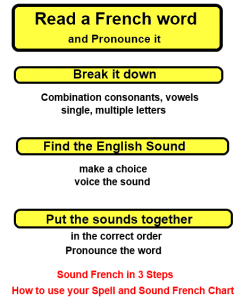
Sound French in 3 Steps





Stay Connected…