Welcome to the Spell and Sound “French Audio Lounge”.
The best way to know if you’re saying a French word correctly is to hear yourself say it. So we created a safe place for you to listen to French words (spoken by our French native speaker) and record your attempts.
Not many of us like the sound of our recorded voice but if you’re able to pluck up the courage, it will open your ears to how you speak French.
Our Audio Lounge contains;
- Interactive French Alphabet
- Interactive French Vowels
- Interactive French Nasal Vowels and Semi-Consonants
- Interactive French Consonants
- Difficult French Vowel Combinations
- Advanced French R
- French Tongue Twisters
Enabling the recorder
The online recorder uses Flash Player so you might need to enable the recorder to use your computer’s microphone. The pop-ups (pictured) asks for your permission to use the camera and microphone on your computer or device. Please ignore the part about the camera. We are not using that feature here.
Just click the “allow” button and record some French.


If you’re finding the sound quality on the playback poor, use a headset or separate microphone rather than the one on your computer or lap top.
Alternatives to Flash Player
Many browsers don’t support Flash so the Vocaroo sound recorder won’t work. Unfortunately we have been unable to find an alternative that works across a range of browsers.
- Mac Users (ipad, iphone etc.)
Try the QuickVoice Recorder. It’s free from the App Store. - Windows Users
Windows has a built in sound recorder. Just click the Start button to reveal the start-up menu and do a search for Sound Recorder. - Android Users
The Easy Voice Recorder from Google Play (app store) is easy to use and free.
Try an example…
Listen to our audio files and have a go yourself!
Record your voice by clicking the record button. When your done, hit the “listen” button to hear your recording. When you’re ready to make another recording, just click on the “retry” button.
Powered by Vocaroo
Can’t hear our audio files?
Some devices won’t be able to use the media players in the audio lounge. Instead click on the underlined word underneath the media player to reveal the sound.
The words don’t sound the same
If your finding that your recordings don’t sound the same as our audio files, have a couple of tries. Some words take a bit of practice to master.
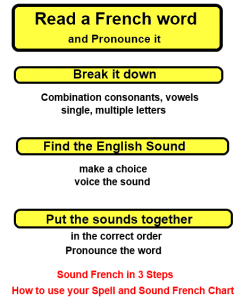
If they still don’t sound the same, try using our free reference charts to guide you through French sounds and spellings.
Take the next step… try the French Alphabet Interactive





Stay Connected…